
终有一日,寻梦中人

1410 字
7 分钟
Hexo博客添加电子木鱼

前提
之前博客里面一直都有电子木鱼,但是之前是塞了一个单独的网页界面,文件都是分散开的,加载也很慢,主要的还是影响博客的加载速度,于是我使用豆包AI基于52JS大佬的项目大改了一下,目前不需要文件,只需要将代码嵌入到界面的index.md文件里面即可搞定电子木鱼界面。
Demo
本站已经内嵌此项目,可以去康康哦~
{% link 电子木鱼,酥米的小站,https://www.sumi233.top/fish/ %}
优势
-
不需要引用文件
-
尽量修复第一次点进去无法正常使用的问题(还是有概率出现用不了的问题,不过刷新一下就好了)
-
适配anzhiyu深色亮色模式,会跟着一起切换
-
总代码少,便于博客加载
创建界面
可以先使用指令单独创建一个电子木鱼的页面
hexo new pages "页面名称"
然后使用工具编辑“页面名称”/index.md
代码
代码如下:
<!-- 隔离容器 - 确保样式不冲突 --><div id="fish-container" style="all: initial; display: block; margin: 20px auto; max-width: 600px; border-radius: 8px; overflow: hidden; box-shadow: 0 4px 12px rgba(0,0,0,0.1);"> <div class="centerContent"> <div id="top"> <div class="score"> <div class="count">0</div> <div class="subtitle">功德</div> </div> </div> <div id="center"> <svg class="myFish" width="157pt" height="126pt" viewbox="0 0 247 197" version="1.1" xmlns="http://www.w3.org/2000/svg"> <g id="fish-svg"> <path class="fish-path" d=" M 109.12 6.53 C 124.09 4.27 139.37 2.82 154.47 4.79 C 173.07 7.14 191.38 14.02 206.02 25.89 C 217.01 34.77 225.17 46.63 231.55 59.13 C 237.81 72.25 241.16 86.53 243.92 100.74 C 225.49 104.75 206.58 105.76 187.77 106.20 C 186.21 100.02 183.12 93.94 177.74 90.25 C 172.00 85.96 163.98 84.19 157.26 87.18 C 145.99 91.69 139.62 105.22 142.63 116.85 C 145.12 127.39 154.97 136.11 166.05 135.69 C 176.18 134.97 184.61 126.81 187.19 117.22 C 192.74 116.73 198.32 116.63 203.89 116.32 C 217.57 115.26 231.14 113.14 244.82 111.98 C 245.52 121.28 246.13 130.75 244.11 139.94 C 242.32 149.02 239.23 158.07 233.39 165.39 C 224.88 176.55 212.15 183.64 199.01 187.98 C 187.42 191.86 175.20 193.41 163.05 194.29 C 140.40 195.87 117.64 195.62 94.99 194.19 C 74.79 192.81 54.55 190.78 34.79 186.17 C 27.91 184.54 21.07 182.47 14.77 179.21 C 8.58 175.93 4.23 169.71 2.72 162.92 C -0.48 151.41 3.00 139.09 9.20 129.21 C 14.61 119.75 27.61 116.88 30.81 105.83 C 35.50 90.01 37.28 73.40 42.87 57.82 C 47.56 45.36 54.34 33.26 64.82 24.75 C 77.25 14.19 93.24 9.04 109.12 6.53 Z"></path> </g> </svg> </div> <div id="bottom"> <div class="keyTips"> <key>点击</key>积攒功德 <span id="autoClick" class="autoClick">自动点击</span> </div> <div class="leftRight"> <div class="left">敲电子木鱼,见机甲佛祖,修赛博真经。</div> <div class="right"> <a href="https://github.com/52js" class="textButton"> <div class="text">@52js & Supermini233</div> </a> </div> </div> </div> </div>
<style> /* 基础样式 - 确保优先级 */ #fish-container { --text-color: #eee; --bg-color: #111; --sub-color: #aaa; --fish-color: #eee; --key-bg: #444; font-family: -apple-system, BlinkMacSystemFont, "Segoe UI", Roboto, sans-serif !important; background: var(--bg-color) !important; color: var(--text-color) !important; padding: 20px !important; transition: background-color 0.3s ease, color 0.3s ease !important; }
/* 适配Anzhiyu亮色模式 */ html[data-theme="light"] #fish-container, body.light #fish-container { --text-color: #333; --bg-color: #f5f5f5; --sub-color: #666; --fish-color: #333; --key-bg: #ddd; }
/* 核心样式 */ #fish-container .centerContent { width: 100% !important; min-height: 300px !important; display: flex !important; flex-direction: column !important; justify-content: space-between !important; padding: 1rem 1rem !important; }
#fish-container .score { font-family: "Helvetica Neue", sans-serif !important; text-align: center !important; width: 100% !important; margin: 20px 0 !important; }
#fish-container .count { text-align: center !important; font-size: 6rem !important; line-height: 1 !important; transition: transform 0.1s ease !important; color: var(--text-color) !important; }
#fish-container .subtitle { font-size: 1.5rem !important; color: var(--sub-color) !important; margin-top: 10px !important; }
#fish-container #center { display: flex !important; justify-content: center !important; align-items: center !important; margin: 20px 0 !important; position: relative !important; }
#fish-container .myFish { cursor: pointer !important; margin: 0 auto !important; pointer-events: auto !important; transition: transform 0.1s ease !important; }
#fish-container .fish-path { fill: var(--fish-color) !important; opacity: 1.00 !important; transition: fill 0.3s ease !important; }
#fish-container #bottom { color: var(--sub-color) !important; font-size: 0.9rem !important; padding: 0 5px !important; text-align: center !important; }
#fish-container .keyTips { display: flex !important; justify-content: center !important; align-items: center !important; margin-bottom: 15px !important; }
#fish-container .keyTips key { color: var(--text-color) !important; background-color: var(--key-bg) !important; margin: 0.3rem 0.45rem !important; border-radius: 0.3rem !important; padding: 0.2rem 0.5rem !important; font-size: 0.7rem !important; }
#fish-container .leftRight { display: flex !important; justify-content: space-between !important; align-items: center !important; }
#fish-container .left { font-size: 12px !important; }
#fish-container .textButton { color: var(--sub-color) !important; text-decoration: none !important; transition: color 0.2s ease !important; }
#fish-container .textButton:hover { color: var(--text-color) !important; }
#fish-container #autoClick { cursor: pointer !important; margin-left: 10px !important; transition: all 0.2s ease !important; }
#fish-container #autoClick.confirm { color: var(--text-color) !important; text-decoration: underline !important; }
#fish-container .subtitleCountTip { position: absolute !important; color: var(--text-color) !important; animation: float 1s forwards !important; opacity: 0 !important; font-size: 16px !important; }
@keyframes float { from { transform: translateY(0); opacity: 1; } to { transform: translateY(-30px); opacity: 0; } }
/* 响应式调整 */ @media (max-width: 480px) { #fish-container .count { font-size: 4rem !important; } } </style>
<script src="https://cdn.sumi233.top/npm/howler@2.2.3/dist/howler.min.js"></script> <script> // 主题变化时更新样式 function updateTheme() { const container = document.getElementById('fish-container'); if (!container) return;
// 触发重绘 container.style.display = 'none'; setTimeout(() => { container.style.display = 'block'; }, 0); }
// 监听主题变化事件 if (window.matchMedia) { const darkModeMedia = window.matchMedia('(prefers-color-scheme: dark)'); darkModeMedia.addEventListener('change', updateTheme); }
// 监听DOM变化(Anzhiyu主题切换时会改变data-theme属性) const observer = new MutationObserver((mutations) => { mutations.forEach(mutation => { if (mutation.attributeName === 'data-theme') { updateTheme(); } }); });
observer.observe(document.documentElement, { attributes: true });
// 初始化木鱼功能 function initFish() { const maxRetries = 10; let retries = 0;
function tryInit() { const container = document.getElementById('fish-container'); const countElement = container.querySelector('.count'); const myFishElement = container.querySelector('.myFish'); const centerElement = container.querySelector('#center'); const autoClickElement = container.querySelector('#autoClick');
if (!countElement || !myFishElement || !centerElement || !autoClickElement) { retries++; if (retries < maxRetries) { setTimeout(tryInit, 100); return; } else { console.error('无法加载电子木鱼元素'); return; } }
let count = 0; let countFlag = false; let autoClick = false; let autoClickInterval = null;
try { const saved = localStorage.getItem('count'); count = saved ? Number(saved) : 0; } catch (e) { count = 0; } countElement.textContent = count;
function startAnimate() { countElement.style.transform = 'scale(1.1)'; myFishElement.style.transform = 'scale(0.95)'; const tip = document.createElement('div'); tip.className = 'subtitleCountTip'; tip.textContent = '功德 + 1'; centerElement.appendChild(tip); setTimeout(() => tip.remove(), 1000); }
function initAnimate() { countElement.style.transform = 'scale(1)'; myFishElement.style.transform = 'scale(1)'; }
function counter() { countFlag = true; count++; countElement.textContent = count; startAnimate(); try { localStorage.setItem('count', count); } catch (e) { console.log('无法保存到本地存储'); } }
myFishElement.addEventListener('click', counter); myFishElement.addEventListener('mousedown', () => { setTimeout(initAnimate, 200); });
document.addEventListener('keyup', (e) => { if (e.key === ' ') { e.preventDefault(); if (!countFlag) counter(); } });
document.addEventListener('keydown', (e) => { if (e.key === ' ') { e.preventDefault(); countFlag = false; initAnimate(); } });
autoClickElement.addEventListener('click', () => { autoClick = !autoClick; if (autoClick) { autoClickElement.classList.add('confirm'); autoClickInterval = setInterval(() => { counter(); setTimeout(initAnimate, 200); }, 500); } else { autoClickElement.classList.remove('confirm'); clearInterval(autoClickInterval); } });
console.log('电子木鱼初始化成功'); }
tryInit(); }
if (document.readyState === 'complete') { initFish(); } else { window.addEventListener('load', initFish); } </script></div>问题
- 目前第一次打开还是会有概率无法使用(很小),刷新一次即可正常使用
引用教程
- 谢谢大佬们的无私贡献!
{% link ElectronFish 电子木鱼,52JS,https://github.com/52js/ElectronFish %}
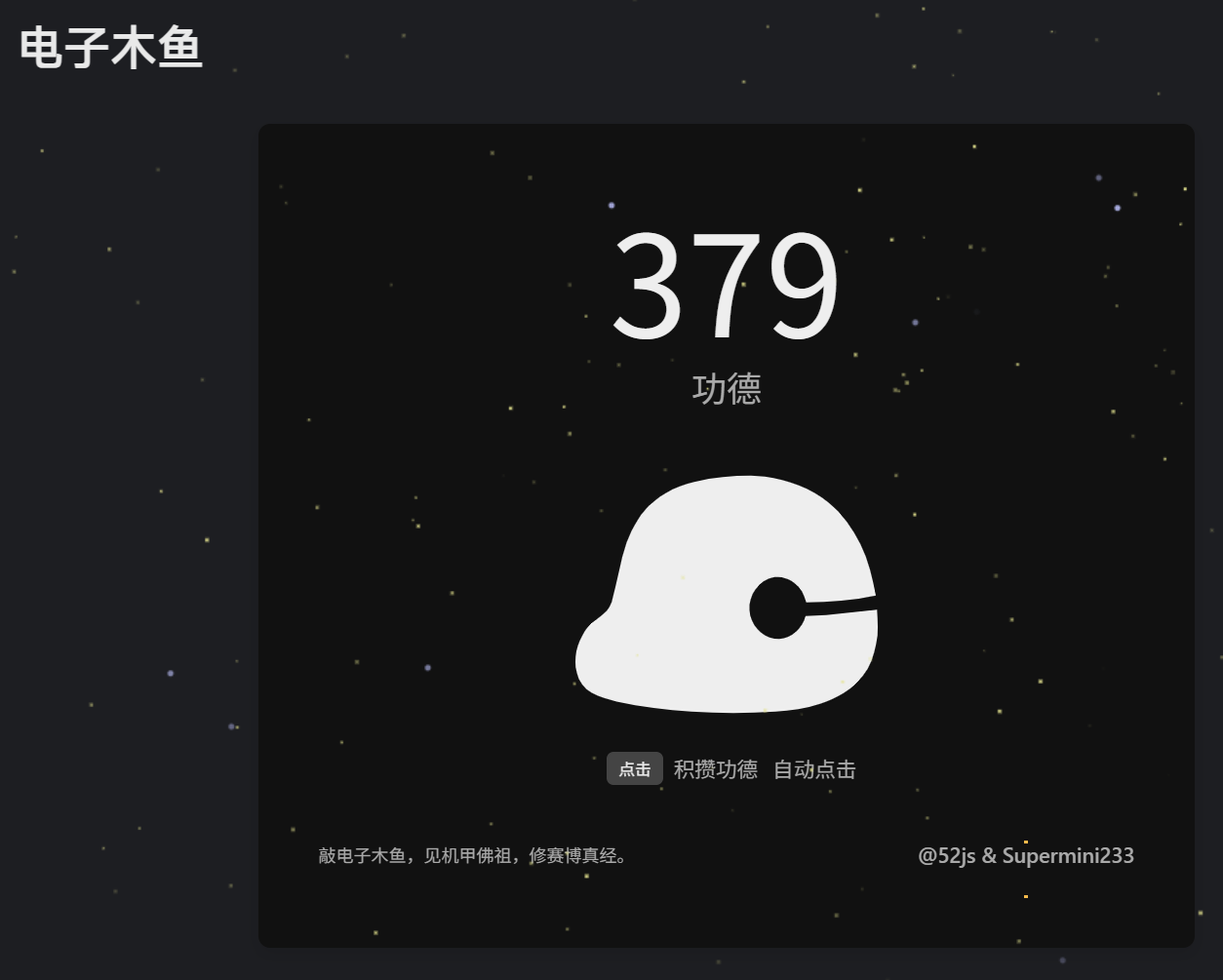
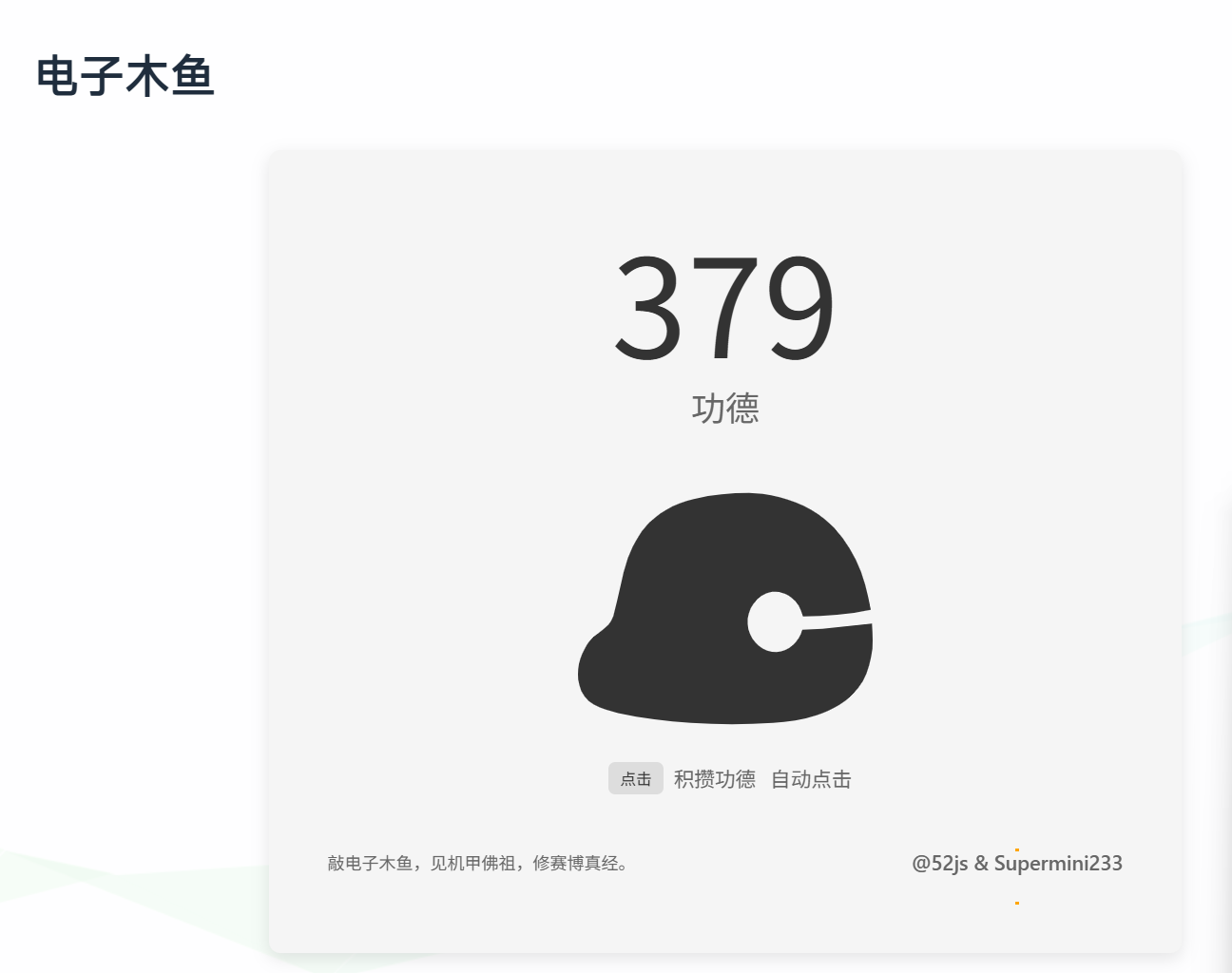
最终实现效果
深色模式
亮色模式
Hexo博客添加电子木鱼
https://astro.sumi233.top/posts/教程/blogelectronfish/